In an era where our digital identities Social Media Accounts are as valuable as our physical ones, the threat of social media hijacking has never been higher. Whether you use Instagram for personal memories or LinkedIn for professional networking, a single breach can lead to identity theft, financial loss, and a ruined reputation. Hackers in 2026 are using more sophisticated AI-driven tools to bypass traditional security, making “password123” more dangerous than ever. This guide provides a comprehensive toolkit to lock down your accounts and ensure that your digital presence remains exclusively yours.
What is Social Media Hacking and Why it Matters
Social media hacking is the unauthorized access to a personal or business account by a third party. While we often imagine a hooded figure typing code in a dark room, modern hacking is frequently a “social” crime. Hackers use techniques like phishing (fake login pages), social engineering (manipulating you into giving up info), and credential stuffing (using leaked passwords from other sites) to gain entry.
The importance of protecting these accounts cannot be overstated. Your social media profiles contain a goldmine of data: your location patterns, your contact list, and often, linked payment methods. In 2026, hackers don’t just want your account; they want to use your identity to scam your friends, post malicious content, or gain access to your more sensitive professional and financial networks.
Step-by-Step Guide: How to Secure Your Accounts
Securing your accounts doesn’t require a degree in cybersecurity; it requires a few minutes of focused effort. Follow this checklist to build a digital fortress:
Audit Your Passwords: Use a dedicated password manager to generate unique, complex passwords (at least 15 characters) for every single platform.
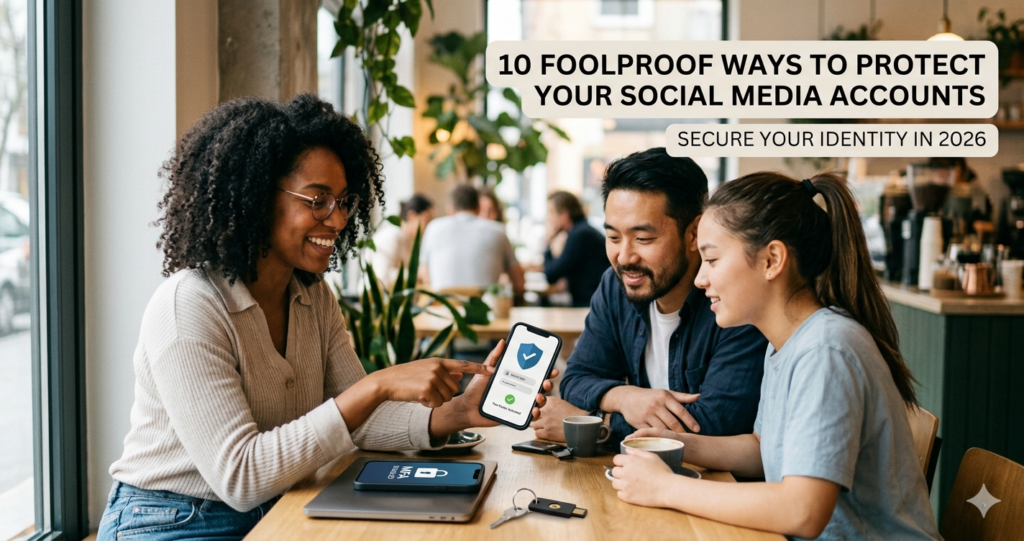
- Enable Phishing-Resistant MFA: Move beyond SMS-based codes. In your settings, select Two-Factor Authentication and choose an Authenticator App (like Google Authenticator) or a Physical Security Key (like a YubiKey).
- Secure Your “Master Key” (Email): Your social media accounts are only as safe as the email address attached to them. Ensure your primary email has its own unique password and 2FA enabled.
- Review Authorized Apps: Go to “Settings > Security > Apps and Websites” on platforms like Facebook and X. Revoke access for any third-party tools you no longer use.
- Update Software Regularly: Hackers exploit “zero-day” vulnerabilities. Ensure your social media apps and phone’s operating system are set to Auto-Update.
- Privacy Checkup: Set your profiles to “Private” or “Friends Only” to limit the amount of personal data (like your birthday or hometown) visible to scrapers.
- Be Skeptical of Links: Never click login links sent via DM or email. If an alert says your account is compromised, go directly to the official website in a new browser tab.
The Math Behind the Hack: Why Complexity Wins
The reason experts insist on long passwords comes down to Combinatorics and Entropy. Hacking programs use “brute force” attacks, which essentially guess every possible combination of characters until they hit the right one.
The formula for the total number of possible combinations ($L$) is:
where:
-
$n$ = the number of possible characters (e.g., 94 for a standard keyboard)
-
$k$ = the length of the password
If you use a 6-character password with only lowercase letters ($n=26$), there are only $26^6$ (approx. 308 million) combinations—a computer can crack this in seconds. However, if you use a 15-character password with letters, numbers, and symbols ($n=94$), the combinations jump to $94^{15}$ ($3.9 \times 10^{29}$). At that level of entropy, it would take current supercomputers trillions of years to guess your password.
Real-Life Scenarios: How Hacks Actually Happen
Scenario 1: The “Help a Friend” Scam
You receive a DM from a close friend saying, “I’m locked out of my account, can you receive a code for me?” You receive a text, send the code to your “friend,” and suddenly you are locked out.
The Lesson: The hacker had already compromised your friend’s account and used the “forgot password” feature on your account to send you a 2FA code. Never share verification codes.
Scenario 2: The Public Wi-Fi Trap
While at a cafe, you log into your LinkedIn using the “Free Guest Wi-Fi.” Unbeknownst to you, a hacker has set up a “Man-in-the-Middle” hotspot with the same name. They intercept your login credentials as they travel through the air.
The Lesson: Use a VPN on public networks or stick to your mobile data when accessing sensitive accounts.
FAQs: Your Security Questions Answered
Q: Is SMS-based 2FA safe enough?
A: It’s better than nothing, but it’s vulnerable to “SIM swapping,” where a hacker convinces your carrier to move your number to their phone. Using an authenticator app is much more secure.
Q: Can I tell if someone is currently in my account?
A: Yes. Most platforms have a “Login Activity” or “Where You’re Logged In” section in settings. If you see a device or city you don’t recognize, click “Log Out of All Sessions” immediately.
Q: Does changing my password every month help?
A: Not necessarily. If you choose a weak password, it can still be cracked. It is more effective to have one exceptionally strong, unique password and change it only if you suspect a breach.
Conclusion & CTA
Protecting your social media accounts is an ongoing process of staying alert and utilizing the tools available to you. By implementing a password manager and phishing-resistant MFA today, you are already ahead of 90% of users.