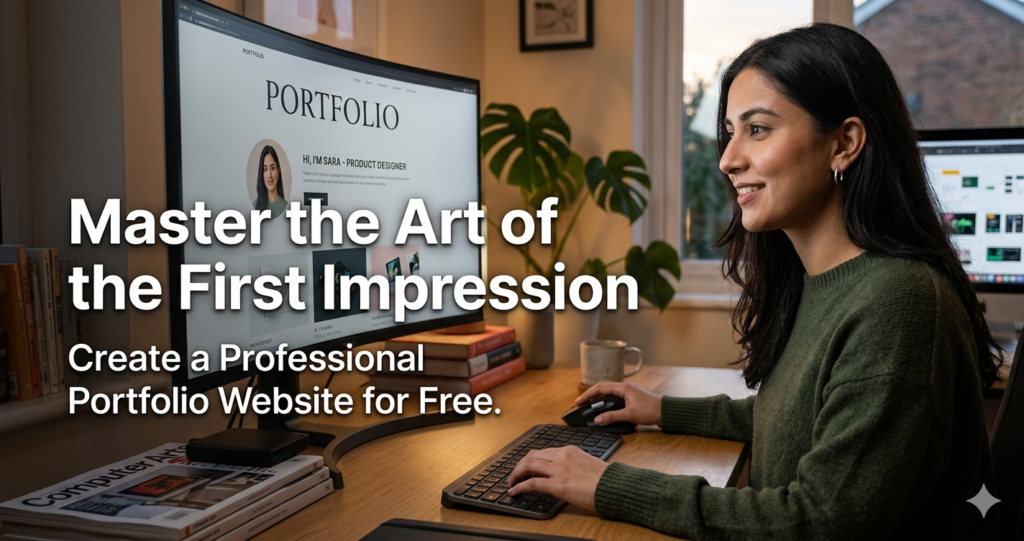
In 2026, your resume is no longer Master the Art of the First Impression just a piece of paper; it’s a digital experience. Whether you are a graphic designer, a developer, or a content strategist, potential employers and clients will Google you before they even look at your email. If they don’t find a polished, professional space showcasing your best work, you are leaving money on the table. The digital landscape has shifted, and the “gatekeepers” of web design have vanished, replaced by powerful, no-cost tools that allow anyone to build a stunning presence in minutes.
The problem most professionals face is the “blank page” syndrome—knowing they need a site but fearing the technical hurdles or the monthly subscription fees. This guide is your roadmap to bypassing those obstacles. We will explore how a professional portfolio website acts as your 24/7 digital salesperson, helping you secure high-ticket roles without spending a single cent on hosting or domain registration.
What is a Professional Portfolio and Why it Matters
A professional portfolio website is a curated digital gallery that showcases your skills, projects, and personality to a specific audience. Unlike a LinkedIn profile, which is a standardized template, a portfolio website gives you complete creative control over your brand’s narrative. It acts as a proof of concept—don’t just tell them you can design a dark UI; show them the live, responsive version of it.
In a competitive market, a portfolio matters because it builds instant credibility. It moves you from a “candidate” to an “authority.” For freelancers, it’s the difference between a $20/hour gig and a $2,000 project. For full-time seekers, it provides the “social proof” that HR managers crave. By centralizing your case studies, testimonials, and contact information, you reduce the friction between a lead discovering you and a lead hiring you. In short, your portfolio is the most valuable asset in your professional toolkit.
Step-by-Step Guide: Building Your Site for Free
Creating a high-end site doesn’t require code. Follow this streamlined process to get live today using top-tier free platforms like Wix, Canva, or Google Sites.
-
Step 1: Choose Your Platform Select a builder that fits your skill level. Use Wix for maximum design flexibility, Canva for a quick one-page visual site, or GitHub Pages if you want to showcase your coding chops.
-
Step 2: Select a High-Conversion Template Don’t reinvent the wheel. Choose a “Portfolio” or “CV” template. Look for clean typography, generous whitespace, and a clear visual hierarchy.
-
Step 3: Curate Your “Big Three” Projects Quality beats quantity. Select your three most impressive projects. For each, upload high-resolution images or videos and write a brief “Problem vs. Solution” summary.
-
Step 4: Personalize Your Brand Identity Update the color scheme and fonts to match your personal brand. Ensure your name and professional title are the first things a visitor sees (H1 tag).
-
Step 5: Add a Frictionless Contact Form Include a dedicated contact page or a floating “Hire Me” button. Linking your WhatsApp or LinkedIn directly can significantly increase conversion rates.
-
Step 6: Optimize and Publish Check the mobile preview to ensure images don’t overlap. Once satisfied, hit “Publish” and use your free branded subdomain (e.g.,
yourname.wixsite.com).
The Math Behind a High-Traffic Portfolio
While design is subjective, the performance of your portfolio is based on a simple formula. In SEO and web performance, we often look at the Trust-to-Friction Ratio.
The goal is to maximize Trust ($T$) and minimize Friction ($F$). Friction is defined by page load speed, broken links, and confusing navigation. Trust is built through social proof and visual quality. A professional portfolio’s effectiveness ($E$) can be modeled as:
Where:
-
$T$ = Trust (Testimonials/Case Studies)
-
$Q$ = Quality (Visual resolution and relevance)
-
$F$ = Friction (Page load time in seconds)
-
$D$ = Distractions (Irrelevant content or pop-ups)
By keeping your page weight low (optimizing images) and your navigation “flat” (no more than 2 clicks to reach any project), you keep $F$ and $D$ near zero, exponentially increasing your site’s effectiveness.
Real-Life Scenarios
-
The Freelance Designer: Sarah creates a one-page portfolio on Canva. She includes a “Before & After” gallery of her logo designs. Within a week, she shares the link in a niche Facebook group. Because the client can see her style instantly, she closes a $500 branding project without a single interview.
-
The Junior Web Developer: Alex hosts his portfolio on GitHub Pages for free. He includes a live link to a small tool he built. A recruiter clicks the link, sees the clean code and the working UI, and fast-tracks Alex to the final technical interview, skipping the initial screening.
-
The Content Strategist: Mark uses a dark UI theme on Wix to showcase his SEO case studies. By showing a screenshot of a “Google Search Console” graph showing traffic growth, he proves his value visually, leading to a 30% higher response rate on his job applications.
FAQs
1. Is it really 100% free to host a portfolio?
Yes. Platforms like Wix, Google Sites, and Bitrix24 offer “Free Forever” plans. The trade-off is usually a branded subdomain (e.g., yoursite.wix.com) and a small banner at the top or bottom of the page.
2. Do I need to know how to code?
Not at all. Modern “Drag-and-Drop” editors and AI-driven builders (like Wix ADI or Squarespace Blueprint) can generate a layout based on a few questions about your industry.
3. How many projects should I include?
Aim for 3 to 6 high-quality projects. Including too many (15+) can overwhelm visitors and lead to “choice paralysis,” causing them to leave your site without contacting you.
Conclusion & CTA
A professional portfolio is no longer a luxury; it is your digital passport in the modern economy. By leveraging free tools and following a structured design approach, you can build a site that rivals those of expensive agencies. Don’t let the “perfect” be the enemy of the “published.” Start with a free template today, upload your best work, and let your talent speak for itself.
Ready to launch your career? Choose one of the platforms mentioned above and spend the next 30 minutes setting up your homepage. Your future self will thank you.