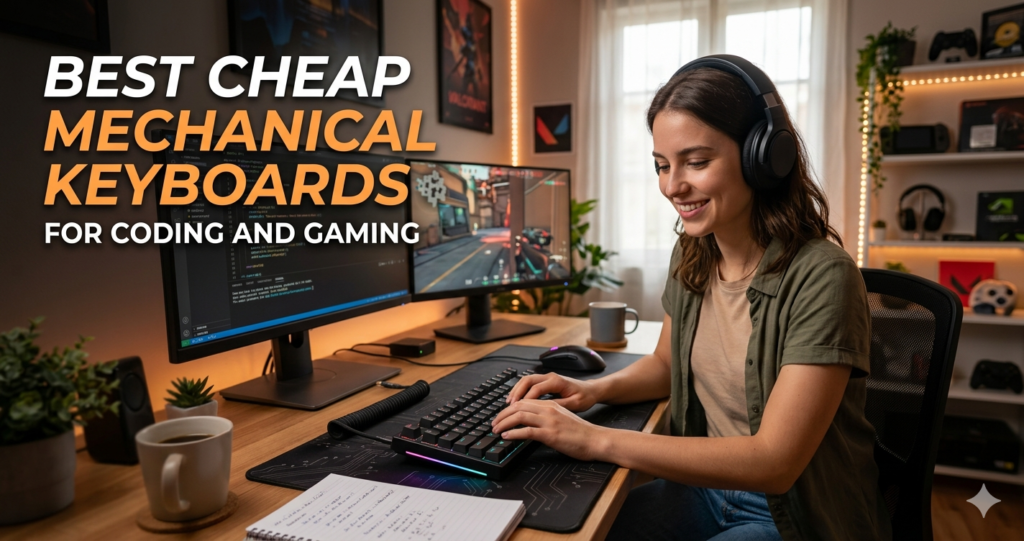
Finding the perfect balance Mechanical Keyboards for Coding and Gaming between a tactile coding experience and a responsive gaming setup doesn’t have to drain your bank account. In 2026, the market for budget mechanical keyboards has reached a tipping point where “cheap” no longer means “low quality.” Whether you are compiling code at midnight or climbing the ranks in a competitive shooter, the right budget deck can significantly enhance your performance and comfort.
This guide explores the best affordable mechanical keyboards that offer premium features—like hot-swappable switches and PBT keycaps—without the premium price tag.
What are Cheap Mechanical Keyboards and Why They Matter
A cheap mechanical keyboard typically refers to a device priced between $30 and $70 that utilizes individual mechanical switches for every key, rather than a single rubber membrane. For coders, these keyboards matter because they provide distinct tactile feedback that reduces typing errors and finger fatigue during long sessions.
For gamers, budget mechanical boards offer “N-Key Rollover” (NKRO) and faster actuation times than traditional office peripherals. In 2026, even entry-level models often include hot-swappable sockets, allowing you to change your switches later without soldering. This makes them a smart investment for beginners who aren’t yet sure if they prefer “clicky,” “tactile,” or “linear” typing experiences.
Step-by-Step Guide: How to Choose and Setup Your Budget Keyboard
Selecting the right board is only the first step. Follow this guide to ensure your budget setup feels like a high-end custom build.
-
Identify Your Layout: * TKL (80%): Best for most users; removes the numpad to save desk space for gaming.
-
75%: Even more compact but keeps the function row—ideal for developers who use F-keys often.
-
60%: Extreme space saver; best for minimalists and FPS gamers.
-
-
Select Your Switch Color:
-
Red (Linear): Smooth and quiet; the gold standard for gaming.
-
Brown (Tactile): Features a small “bump”; the best middle ground for coding and play.
-
Blue (Clicky): Loud and tactile; satisfying for solo coding but may annoy housemates.
-
-
Initial Setup:
-
Plug in via USB-C (standard for 2026 budget models).
-
Test for “ping” or metallic echoing. If it exists, place a desk mat under the keyboard.
-
Download the manufacturer software to remap keys (e.g., remapping
Caps LocktoControlfor easier coding shortcuts).
-
-
Maintenance: Use a keycap puller every few months to remove dust. Since budget boards use plastic cases, avoid harsh chemicals that might degrade the finish.
The Math and Science Behind Switch Actuation
The performance of your keyboard is dictated by the physics of the switch. Most budget mechanical keyboards use a spring-loaded contact system. The “Actuation Point” is the distance a key must be pressed before it sends a signal to your computer.
The force required to move the key is measured in Grams-force (gf) or Centinewtons (cN). The relationship between the force applied ($F$) and the distance traveled ($x$) follows Hooke’s Law to an extent:
Where $k$ is the spring constant. However, mechanical switches are designed with a non-linear force curve. For example, a Brown switch has a higher $k$ value at the “tactile bump” (around 55gf) before dropping back down to 45gf for the remainder of the stroke. This physical “drop” in resistance is what your brain perceives as a successful keypress, allowing you to move to the next letter before the key even hits the bottom of the case.
Real-Life Scenarios: From IDE to In-Game
Scenario 1: The Late-Night Developer
Imagine you are refactoring a massive Python script. You’re using a Keychron C3 Pro. The tactile “bump” of the brown switches allows you to feel exactly when each bracket is closed. Because the board is wired, there is zero latency, ensuring your rapid-fire Ctrl+C / Ctrl+V commands register instantly, even during a heavy compilation task.
Scenario 2: The Competitive FPS Session
You switch from your IDE to Valorant. You are using the Redragon K552 with linear Red switches. In a high-intensity 1v1, the linear travel allows you to “jiggle peek” corners with micro-movements. The 45g actuation force means your fingers don’t tire out during a 45-minute ranked match, and the anti-ghosting technology ensures your diagonal movements (pressing W and D simultaneously) never fail.
Top Budget Keyboards of 2026: Comparison Table
| Keyboard Model | Best For | Connection | Key Feature |
| Keychron C3 Pro | All-rounder / Coding | Wired | Gasket mount feel at $40 |
| Redragon K552 | Ultra-Budget Gaming | Wired | Extremely durable metal frame |
| Gamakay NS68 | Performance Gaming | Wired | Hall Effect (Magnetic) switches |
| Royal Kludge R65 | Customization | Tri-Mode | Hot-swappable & very quiet |
| Newmen GM326 | Office/Dev Work | Wired | Integrated volume control knob |
FAQs
Q: Are cheap mechanical keyboards loud?
A: It depends on the switch. Blue switches are intentionally loud. However, modern budget boards like the Royal Kludge R65 use sound-dampening foam to keep the “thock” sound deep and quiet enough for shared offices.
Q: Can I use these keyboards with a Mac?
A: Most 2026 budget models (especially Keychron and Royal Kludge) have a physical toggle to switch between Windows and macOS layouts, including extra keycaps for Cmd and Opt.
Q: Does “hot-swappable” mean I can change switches while the PC is on?
A: Yes! You can pull out a switch and snap in a new one without turning off your computer or using a soldering iron.
Conclusion & CTA
You don’t need to spend $200 to get a professional-grade typing experience. For most users, starting with a Keychron C3 Pro or a Royal Kludge R65 provides 90% of the performance of high-end boards at a fraction of the cost.
Ready to upgrade your desk? Check out the latest deals on these models at your favorite tech retailer today and feel the difference in your next coding sprint or gaming session!